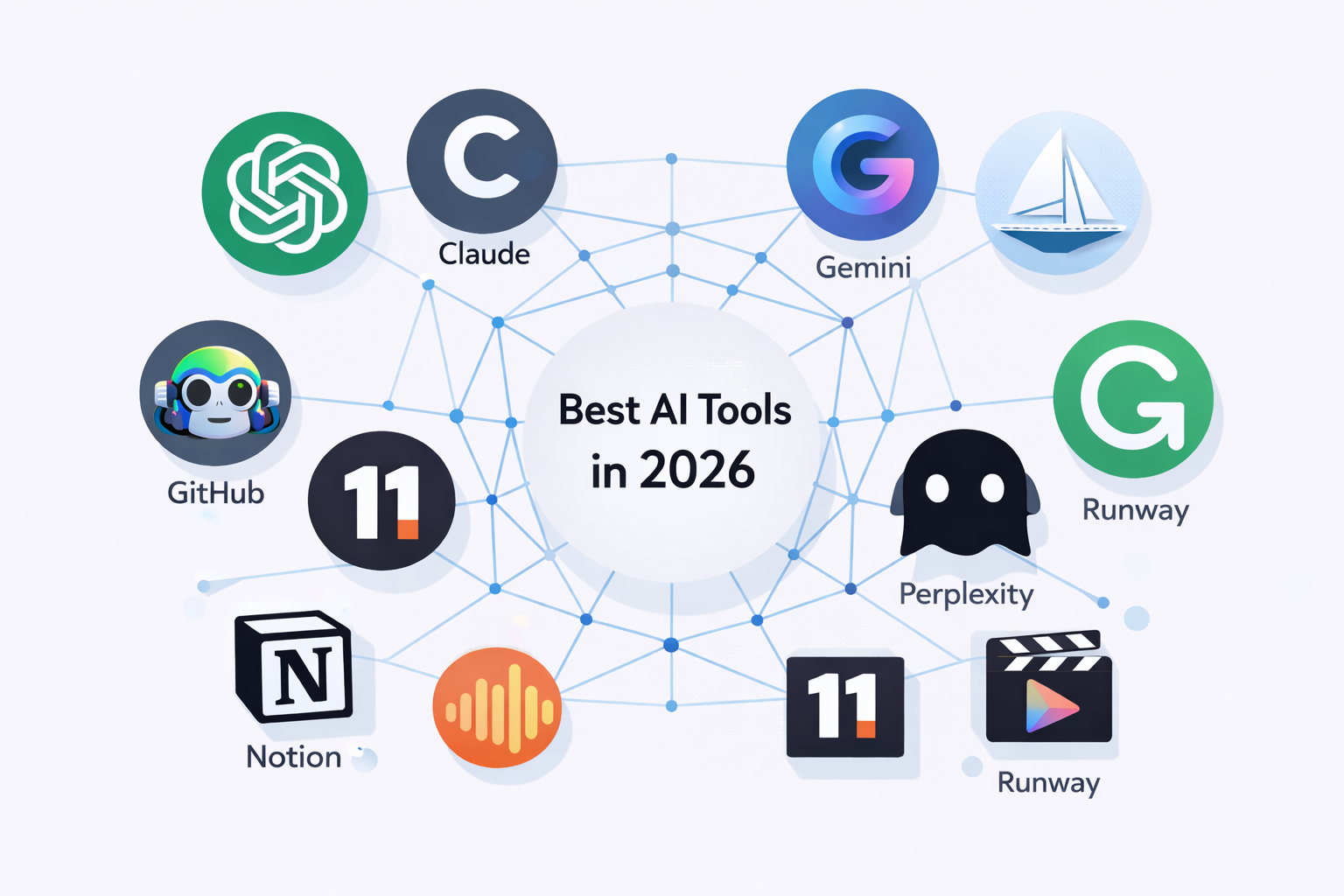
Best AI tools of 2026 are no longer a luxury reserved for tech giants or software engineers — they are now everyday essentials used by students, freelancers, entrepreneurs, and Fortune 500 companies alike. Artificial intelligence has matured from a buzzword into a core productivity layer that touches writing, coding, design, communication, and research. Whether you are a student trying to ace your assignments, a professional aiming to work smarter, or a business leader looking to automate operations and scale faster, the right AI tool can be a genuine game-changer.
The AI landscape in 2026 has expanded dramatically. Models are faster, smarter, and more affordable than ever. Multimodal capabilities — the ability to understand text, images, audio, and video together — are now standard in the best tools. Agents that autonomously complete multi-step tasks are widely available. And integration with everyday apps like Google Workspace, Microsoft 365, and Slack means AI is quietly embedded in nearly every professional workflow.
This article presents a comprehensive, up-to-date guide to the best AI tools of 2026. For each tool, we break down what it does, who it is built for, its standout features, and pricing. We also include a detailed comparison table at the end so you can quickly identify which tools best match your needs — whether you are a student, a working professional, or running a business.
1. ChatGPT (GPT-4o) — Best All-Around AI Assistant
ChatGPT by OpenAI remains the most widely used AI assistant in the world, and with GPT-4o powering it in 2026, it is more capable than ever. GPT-4o brings true multimodal intelligence — you can upload images, documents, and spreadsheets, and hold natural voice conversations with near-human latency. Its massive plugin ecosystem allows it to browse the web, run Python code, generate charts, and integrate with hundreds of third-party tools.
Who Should Use It
• Students: Ideal for essay writing, research summaries, math problem-solving, and exam preparation.
• Professionals: Excellent for drafting emails, summarizing meetings, analyzing data, and writing reports.
• Businesses: Automates customer support, content creation, internal documentation, and data workflows.
Key Features
• GPT-4o multimodal model (text, image, audio, video)
• Advanced code interpreter with data analysis
• Custom GPT builder for personalized assistants
• Memory feature for persistent personalization
• Integration with Microsoft Copilot and third-party APIs
Pricing: Free tier available. ChatGPT Plus at $20/month. ChatGPT Team and Enterprise plans available for organizations.
2. Claude by Anthropic — Best for Research and Long Documents
Claude, developed by Anthropic, has built a strong reputation as the go-to AI for handling complex, long-form content. With a 200,000-token context window, Claude can read, analyze, and summarize entire books, legal contracts, research papers, and codebases in a single session. It is particularly praised for nuanced reasoning, following instructions carefully, and producing outputs that feel thoughtful rather than mechanical.
Who Should Use It
• Students: Perfect for analyzing academic papers, writing literature reviews, and understanding dense textbooks.
• Professionals: Great for legal document review, policy analysis, and detailed technical writing.
• Businesses: Useful for compliance documentation, internal knowledge bases, and complex customer interactions.
Key Features
• 200K token context window for long document processing
• Excellent instruction-following and structured outputs
• Code review, debugging, and software architecture advice
• Safety-focused design with low hallucination rates
• Claude.ai Pro for priority access and extended usage
Pricing: Free tier available. Claude Pro at $20/month.
3. Google Gemini Ultra — Best for Google Workspace Users
Google’s Gemini Ultra is the search giant’s flagship AI model, tightly integrated into the entire Google ecosystem. For anyone living inside Gmail, Google Docs, Sheets, or Drive, Gemini feels like a native upgrade rather than an add-on. It can pull real-time information from the web, summarize your emails, draft documents based on your calendar context, and answer questions using the latest Google Search results.
Who Should Use It
• Students: Leverage it inside Google Docs for writing assistance and research with live web results.
• Professionals: Automate email drafts in Gmail, summarize Drive documents, and create Sheets formulas with plain language.
• Businesses: Enterprise-grade AI embedded across Workspace with strong data privacy controls.
Key Features
• Real-time web search integration for up-to-date answers
• Deep Google Workspace integration (Docs, Gmail, Sheets, Slides)
• Multimodal reasoning across text, images, audio, and video
• Gemini Advanced for complex reasoning tasks
• Strong enterprise security and compliance features
Pricing: Free tier available. Google One AI Premium at $19.99/month.
4. Midjourney v7 — Best AI Image Generation Tool
Midjourney v7 remains the gold standard for AI image generation in 2026. Its images are breathtakingly realistic, stylistically versatile, and consistently high quality. Whether you need photorealistic photography, concept art, product mockups, or editorial illustrations, Midjourney delivers. The latest version introduces consistent character generation, making it especially valuable for storytelling, branding, and content marketing.
Who Should Use It
• Students: Create visual aids, presentations, and creative project assets instantly.
• Professionals: Designers, marketers, and content creators use it for campaigns, social media, and branding.
• Businesses: Rapidly generate product images, marketing visuals, and brand assets without hiring a photographer.
Key Features
• Photorealistic and artistic image generation from text prompts
• Consistent character mode for recurring visual identities
• High-resolution outputs suitable for print and commercial use
• Style reference and image-to-image transformations
• Active community and prompt library on Discord
Pricing: Basic plan from $10/month. Standard at $30/month. Pro and Mega plans available.
5. GitHub Copilot — Best AI Coding Assistant
GitHub Copilot, powered by OpenAI Codex and GPT-4, has fundamentally changed how developers write code. Available directly inside VS Code, JetBrains, Neovim, and other editors, it suggests entire functions, generates unit tests, explains existing code, and catches bugs in real time. In 2026, Copilot Workspace now allows developers to describe an entire feature in plain English and have Copilot scaffold the code across multiple files.
Who Should Use It
• Students: An incredible learning tool — see how functions are implemented and understand unfamiliar code instantly.
• Professionals: Dramatically accelerates development velocity, especially for repetitive boilerplate code.
• Businesses: Reduces time-to-market for software products and enables smaller teams to build more.
Key Features
• Real-time inline code suggestions in 40+ programming languages
• Automated unit test generation
• Copilot Chat for code explanation and debugging
• Copilot Workspace for feature-level code generation
• Free tier for students and open-source contributors
Pricing: Free for students and open-source contributors. Individual plan at $10/month. Business plan at $19/user/month.
6. Notion AI — Best AI Productivity Tool
Notion AI transforms the already powerful Notion workspace into a smart productivity hub. It can draft documents, summarize meeting notes, generate action items, translate content, and answer questions about your own database — all from within the tool you already use to organize your work and life. For teams, Notion AI makes knowledge management dramatically more efficient by making stored information instantly accessible through natural language queries.
Who Should Use It
• Students: Organize notes, generate study guides, summarize lecture content, and plan projects.
• Professionals: Automate meeting follow-ups, create SOPs, and manage personal knowledge bases.
• Businesses: Power internal wikis, project management, and team documentation with AI-assisted workflows.
Key Features
• AI writing, editing, and summarization within Notion pages
• Ask AI to query your database in plain language
• Auto-generate meeting notes, action items, and templates
• Multi-language translation and tone adjustment
• Seamless integration with existing Notion workspaces
Pricing: Notion AI is an add-on at $10/month per workspace, on top of the base Notion plan.
7. Perplexity AI — Best AI-Powered Search Engine
Perplexity AI is the answer engine that is seriously challenging traditional search. Instead of giving you a list of links, Perplexity delivers concise, well-cited answers with real-time web data. It is especially powerful for research, fact-checking, and keeping up with the latest developments in fast-moving fields. The Pro tier integrates advanced reasoning models and allows deeper follow-up conversations with sourced accuracy.
Who Should Use It
• Students: Perfect for academic research, finding sources, and understanding complex topics quickly.
• Professionals: Great for competitive intelligence, market research, and staying current in your industry.
• Businesses: Useful for light research tasks, though enterprise capabilities are still expanding.
Key Features
• Real-time web search with full citations
• Follow-up conversation threads on any topic
• Pro Search with GPT-4o and Claude integration
• Collections to organize research threads
• Perplexity Pages for shareable research summaries
Pricing: Free tier available. Perplexity Pro at $20/month.
8. ElevenLabs — Best AI Voice and Audio Tool
ElevenLabs has become the definitive AI voice platform in 2026. It offers jaw-dropping voice cloning, realistic text-to-speech in 29 languages, and a growing suite of audio production tools. Podcasters, educators, marketers, and publishers are using ElevenLabs to produce audio content at a fraction of traditional production costs. The Voice Design feature even lets you create an entirely new synthetic voice from scratch.
Who Should Use It
• Students: Create audiobooks from lecture notes or produce voiceover for presentations and projects.
• Professionals: Podcasters, video creators, and marketers use it for narration, explainer videos, and ads.
• Businesses: Scale customer-facing audio content, IVR systems, and multilingual voiceovers with ease.
Key Features
• Voice cloning from as little as one minute of audio
• Ultra-realistic text-to-speech in 29+ languages
• Voice Design for creating custom synthetic voices
• Dubbing Studio for multilingual video localization
• Audio Native for AI narration on websites and apps
Pricing: Free tier available. Starter at $5/month. Creator at $22/month. Business and Enterprise tiers available.
9. Runway ML (Gen-3) — Best AI Video Generation Tool
Runway ML’s Gen-3 Alpha model is the leading AI video generation platform for creators and production studios alike. It allows users to generate short video clips from text descriptions, edit footage with natural language commands, remove backgrounds, apply cinematic effects, and animate still images. In 2026, AI-generated video is no longer a novelty — it is a serious production tool used by major advertising agencies, indie filmmakers, and social media creators.
Who Should Use It
• Students: Create short film projects, visual essays, and creative media without expensive equipment.
• Professionals: Video editors, marketers, and creative directors use it to prototype concepts fast.
• Businesses: Advertising agencies and brands produce campaign content at dramatically lower cost and turnaround time.
Key Features
• Text-to-video generation with Gen-3 Alpha
• Image-to-video animation
• Motion Brush for directing movement in scenes
• Background removal and video inpainting
• Camera controls and cinematic style presets
Pricing: Standard plan from $12/month. Pro at $28/month. Unlimited at $76/month.
10. Grammarly AI — Best AI Writing and Editing Assistant
Grammarly has evolved far beyond a spell-checker. In 2026, Grammarly AI offers full-sentence rewrites, tone adjustments, generative writing suggestions, plagiarism detection, and even citation formatting support. It works across browsers, Microsoft Word, Google Docs, email clients, and mobile apps — making it one of the most universally accessible AI tools available. It is an essential companion for anyone who communicates in writing professionally.
Who Should Use It
• Students: Improve essay quality, catch grammar mistakes, and check for plagiarism before submission.
• Professionals: Polish emails, proposals, reports, and LinkedIn posts to communicate with confidence.
• Businesses: Maintain brand voice consistency across all written communications at scale.
Key Features
• Advanced grammar, spelling, and style suggestions
• AI generative rewrites and sentence restructuring
• Tone detector and tone adjustment tools
• Plagiarism checker against billions of web pages
• Grammarly Business for team style guides and brand voice
Pricing: Free tier available. Grammarly Pro at $12/month (billed annually). Business plans available for teams.
Quick Comparison: Best AI Tools of 2026 at a Glance
The table below provides a side-by-side overview of the ten best AI tools of 2026, including each tool’s category, standout features, pricing, and who it is best suited for. Use it as a quick reference when deciding which tools to add to your workflow. A checkmark (✅) means the tool is strongly recommended for that audience, while a warning symbol (⚠️) indicates limited or partial suitability.
| AI Tool | Category | Key Features | Pricing | Students | Professionals | Businesses |
| ChatGPT (GPT-4o) | AI Assistant / Writing | Multimodal input, code generation, document analysis, plugin ecosystem, voice mode | Free / $20/mo Pro | ✅ Yes | ✅ Yes | ✅ Yes |
| Claude (Anthropic) | AI Assistant / Research | Long-context documents (200K tokens), nuanced reasoning, code review, safe outputs | Free / $20/mo Pro | ✅ Yes | ✅ Yes | ✅ Yes |
| Gemini Ultra (Google) | AI Assistant / Search | Deep Google integration, real-time web search, Workspace sync, multimodal reasoning | Free / $19.99/mo | ✅ Yes | ✅ Yes | ✅ Yes |
| Midjourney v7 | AI Image Generation | Photorealistic images, style transfer, high-resolution output, consistent characters | $10–$120/mo | ✅ Yes | ✅ Yes | ✅ Yes |
| GitHub Copilot | AI Coding Assistant | Inline code suggestions, multi-language support, test generation, IDE integration | Free / $10/mo | ✅ Yes | ✅ Yes | ✅ Yes |
| Notion AI | Productivity / Notes | AI writing, meeting summaries, task automation, database queries in plain language | $10/mo add-on | ✅ Yes | ✅ Yes | ✅ Yes |
| Perplexity AI | AI Search Engine | Real-time sourced answers, citations, follow-up threads, Pro search with reasoning | Free / $20/mo Pro | ✅ Yes | ✅ Yes | ⚠️ Limited |
| ElevenLabs | AI Voice / Audio | Voice cloning, text-to-speech, 29+ languages, podcast & audiobook generation | Free / $5–$330/mo | ✅ Yes | ✅ Yes | ✅ Yes |
| Runway ML (Gen-3) | AI Video Generation | Text-to-video, video editing, motion brush, background removal, scene generation | $12–$76/mo | ⚠️ Limited | ✅ Yes | ✅ Yes |
| Grammarly AI | Writing Assistant | Grammar, tone detection, plagiarism check, generative rewrites, citation formatting | Free / $12/mo Pro | ✅ Yes | ✅ Yes | ✅ Yes |
Note: Pricing is approximate as of March 2026 and may vary by region or plan tier. Always verify on the official website before subscribing.
Conclusion
The best AI tools of 2026 represent a fundamental shift in how we work, learn, create, and communicate. What once required large teams, expensive software, or specialized expertise can now be accomplished by a single individual with the right AI tools and an internet connection. The playing field has changed — and the tools in this guide are what level it.
For students, AI tools like ChatGPT, Claude, Grammarly, and Perplexity are not shortcuts — they are study partners that help you learn faster, write better, and research more effectively. For professionals, tools like GitHub Copilot, Notion AI, and ElevenLabs eliminate hours of repetitive work and free up time for the thinking that only humans can do. For businesses, the combined power of these tools means faster product development, leaner teams, and content production at scale.
The key to getting the most out of AI in 2026 is not just adopting any tool — it is choosing the right tools for your specific goals and learning how to use them well. Start with one or two from this list that align with your immediate needs. Experiment, build habits around them, and gradually expand your toolkit. AI is not replacing human creativity or judgment — it is amplifying it. The people who master these tools today will be the ones leading their fields tomorrow.
Bookmark this guide, share it with a colleague or classmate, and revisit it as the AI landscape continues to evolve. The future belongs to those who learn to work alongside intelligent machines — and that journey starts now.