
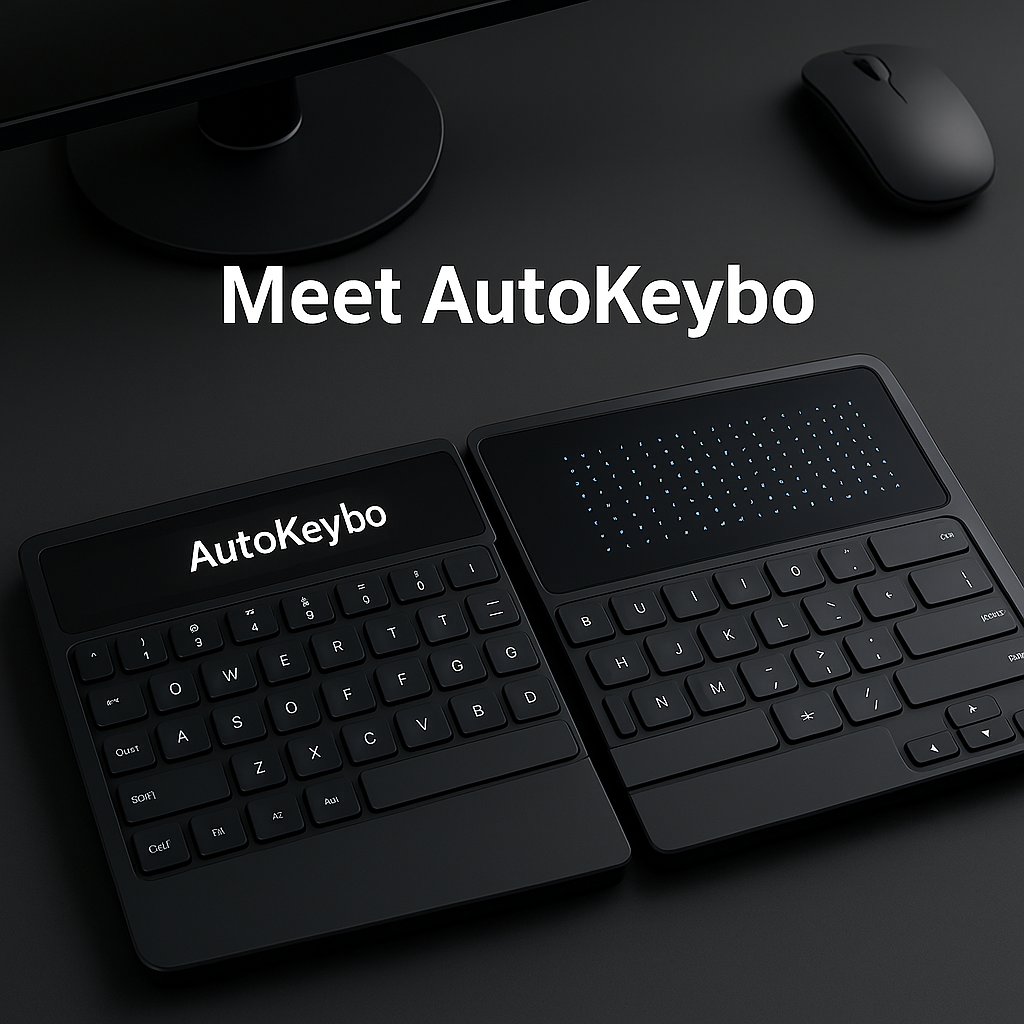
In a world where remote work and digital communication dominate, keyboards are more integral than ever. But not all keyboards are created equal. Enter the AutoKeybo—a cutting-edge AI-powered keyboard that redefines ergonomic design and workflow efficiency. This blog explores what makes these new-fangled gadgets tick and how they might reshape your daily typing experience.
⚙️ What Makes AI Keyboards Revolutionary?
- Gesture-Based Control & Tray Switching
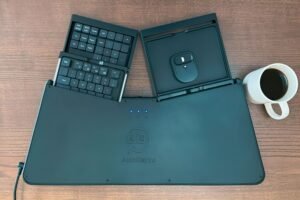
AutoKeybo uses onboard cameras and AI to detect hand lifts, automatically sliding keyboard halves aside to reveal a trackpad or numeric keypad—no extra keystrokes needed. - Ergonomic Split-Keyboard Design
The device adopts a split layout that allows natural shoulder alignment, helping reduce strain and prevent repetitive stress injuries (RSI). - Integrated Computing Power
Unlike traditional keyboards, AutoKeybo houses a full Linux computer with HDMI and USB-C ports—doubling as a portable mini-PC. - Highly Customizable Experience
Featuring low-profile mechanical keys, hot-swappable switches, and reprogramming via VIA software—ideal for power users and enthusiasts.
🧾 Feature Comparison Table: AutoKeybo vs Traditional Keyboards
| Feature | AutoKeybo (AI Keyboard) | Traditional Keyboard |
|---|---|---|
| AI Integration | Yes – gesture detection, posture feedback, smart tray | No |
| Ergonomic Design | Split layout, shoulder-friendly | Standard one-piece layout |
| Adaptive Layout Switching | Yes – auto-switches to trackpad/numpad tray | No – manual switching (if available) |
| Built-in Trackpad & Numpad | Integrated, AI-controlled trays | Usually not included |
| Custom Programmability | Fully programmable with VIA | Limited (requires external tools) |
| Mechanical Keys | Low-profile, hot-swappable mechanical switches | Mostly membrane or fixed mechanical keys |
| Onboard OS & Computing Power | Yes – Built-in Linux system with HDMI/USB-C | No – Needs external computer |
| Health Monitoring | Posture alert, typing pattern analysis | Not available |
| Portability | High – standalone mini-PC and keyboard | Medium – needs external devices |
| Price Range | $700–$1,165 (Premium) | $20–$150 (Varies by brand) |
🛠️ Real-World Benefits
- Seamless Workflow: Swiftly switch between typing, numpad, and mouse without lifting hands—great for data entry, coding, and creative tasks.
- Health & Comfort: Designed to reduce tension in shoulders, wrists, and neck—especially helpful for users recovering from shoulder injuries.
- Portability: Bring your own desktop experience anywhere with its built-in computer and docking ports—perfect for remote workers.
- Customization: Tailor your key switches and layout for gaming, typing, or work profiles.
💡 Other AI Keyboard Innovations to Watch
- CleverType & Grammarly Keyboard: On-device text assistants offering advanced predictive typing, professional tone, grammar fixes, and multilingual support.
- Google’s Gboard with SmartEdit: Launching soon, this enhances texting with voice edits, AI-generated stickers, and deeper integration into Pixels and Android 16
- Clicks Physical Keyboard Cases: For smartphone users wanting tactile feedback, Clicks brings physical QWERTY cases to several flagship phones with AI-assistant buttons included
🎯 Ideal Audience
- Hybrid and remote professionals seeking ergonomic setups and smoother multitasking.
- Writers and coders who crave customizable mechanical feel with AI-enhanced typing.
- Health-conscious users recovering from repetitive stress injuries and want prevention strategies.
- Tech enthusiasts ready to embrace futuristic gadgets with practical advantages.
More About AutoKeybo: AI Meets Comfort & Control
AutoKeybo stands out not just for its futuristic design, but also for how it merges AI intelligence with real-world usability. The keyboard automatically recognizes when you’re not typing and reconfigures itself—revealing a gesture-sensitive tray or a trackpad beneath. This responsiveness can significantly speed up workflow, especially for developers, writers, analysts, and digital artists.
It also features adaptive learning—AutoKeybo gradually learns your typing habits, suggesting layout tweaks and efficiency improvements over time. The keyboard’s AI can detect posture-related stress by analyzing hand patterns and notify users when it’s time to adjust wrist angles, promoting healthy typing habits.
Additionally, the onboard Linux computer allows you to run apps directly from the keyboard without even connecting to a PC. It supports basic browsing, editing, and scripting, making it an excellent tool for portable work environments.
You can even program shortcuts using VIA software, personalizing everything from volume control to launching apps with a single tap.
For remote workers, gamers, and tech-savvy users, AutoKeybo isn’t just a keyboard—it’s an AI-powered assistant, productivity hub, and ergonomic companion, all in one sleek device.
📝 Conclusion
AI-powered keyboards like AutoKeybo bring a bold fusion of ergonomics, automation, and customizable computing power. While the price (around $700–$1,165 at CES) may be steep, the productivity, comfort, and futuristic experience they offer could make them a game-changer.
Whether you’re a professional, creator, or just gadget-curious, AI keyboards are a glimpse into typing’s future—smart, adaptive, and ergonomically optimized.
Stay ahead in tech—follow Lioness Times for the latest updates on AI, gadgets, and future innovations.